


Editorial Squarespace Template for Coaches & Copywriters
What is the best Squarespace template for high-ticket coaches and creative agencies?
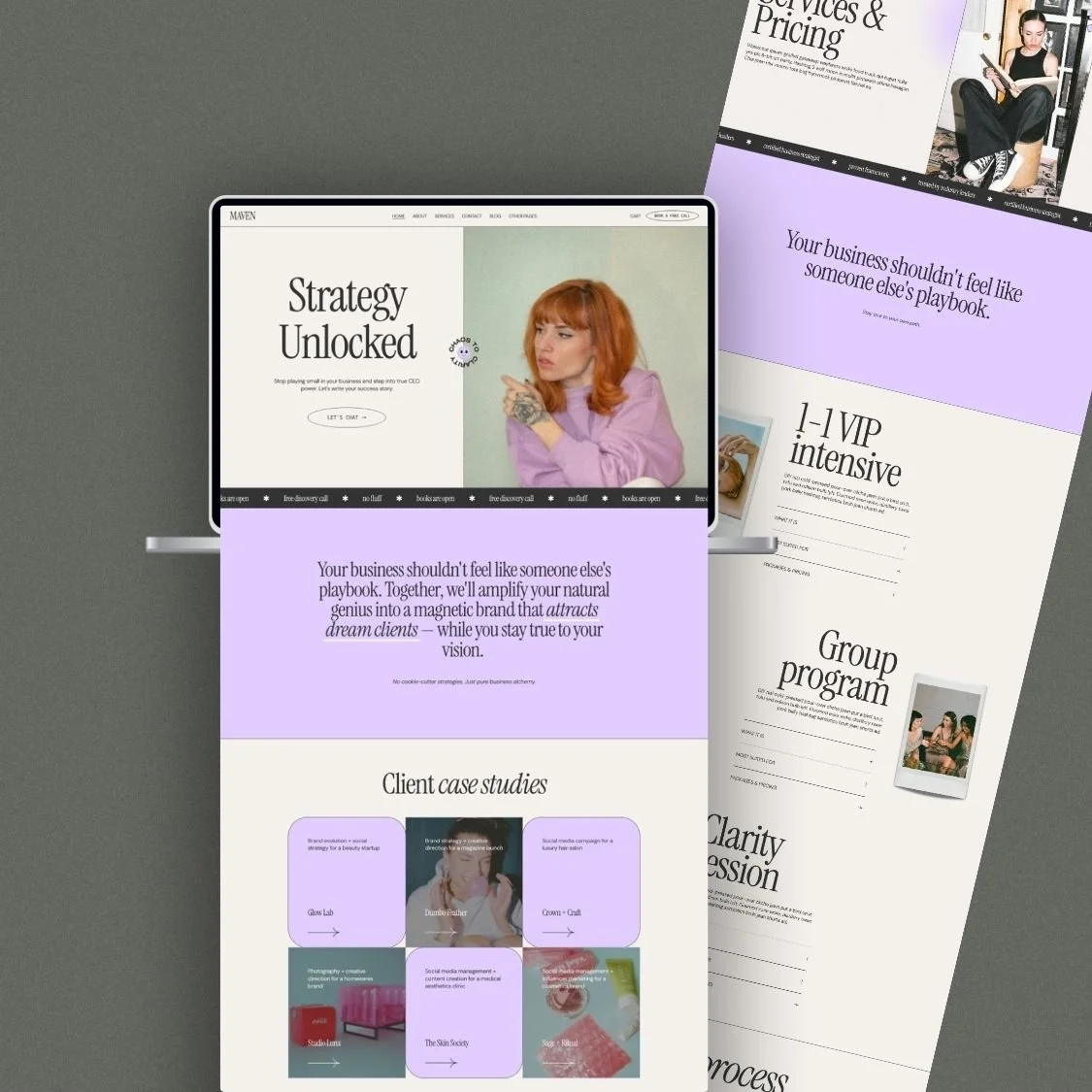
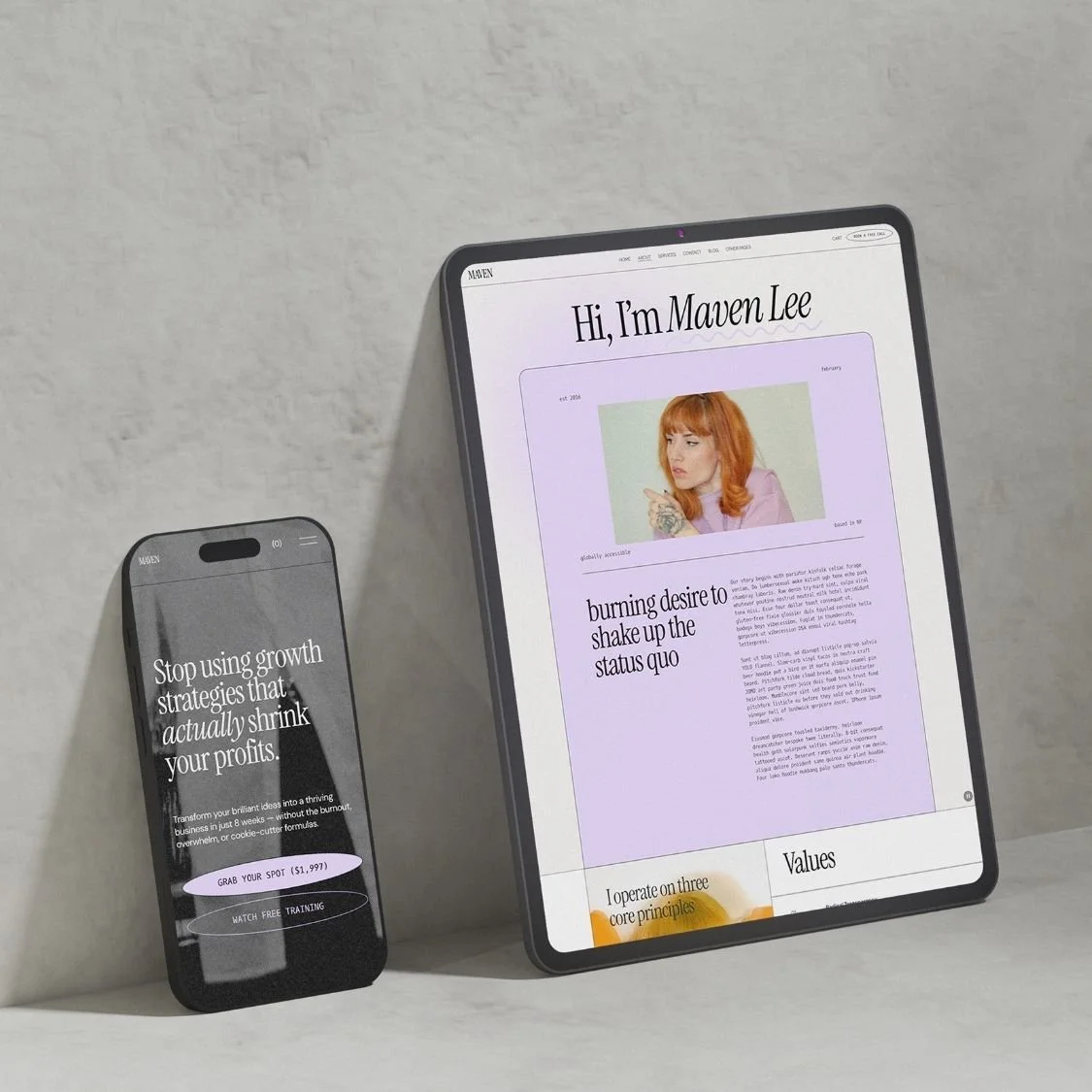
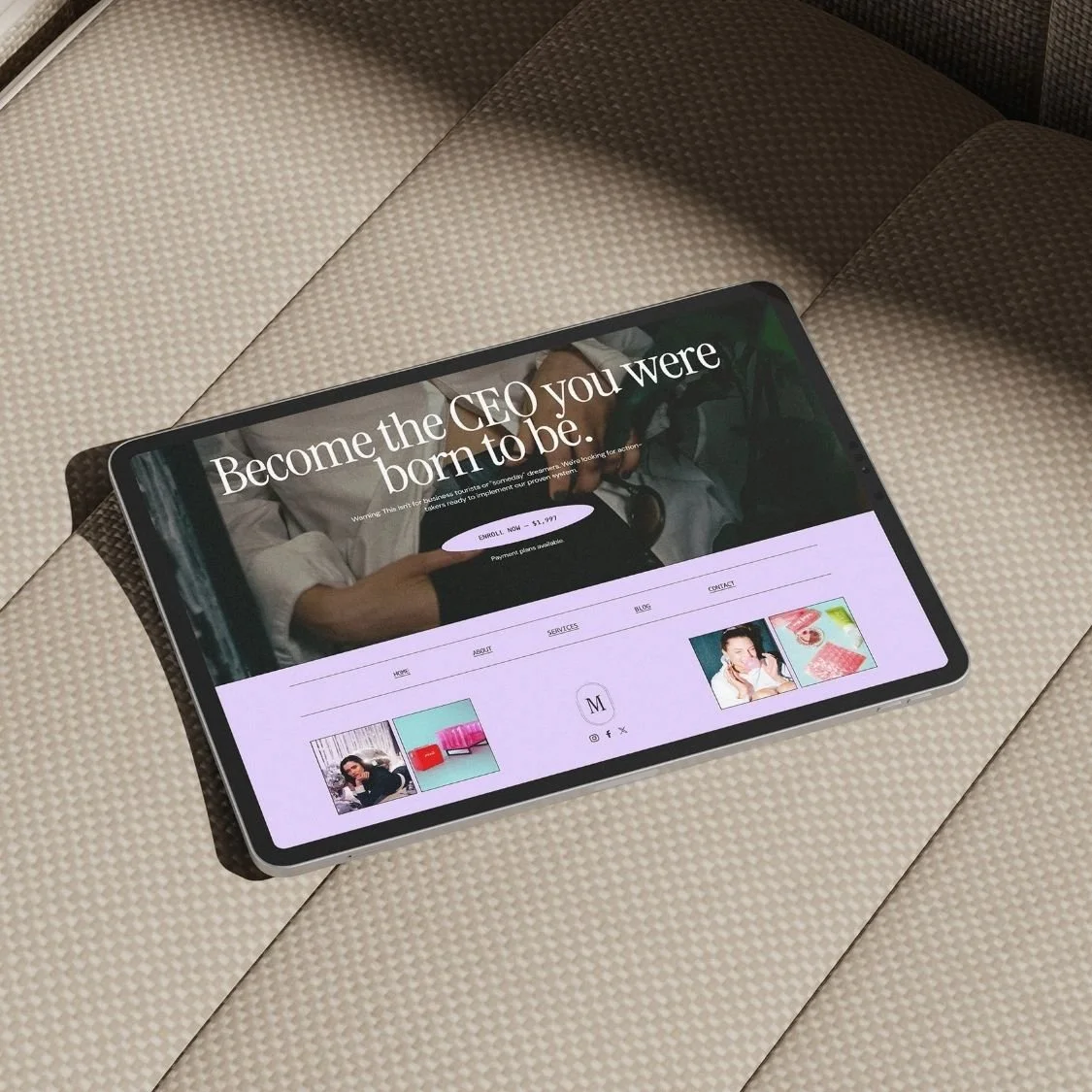
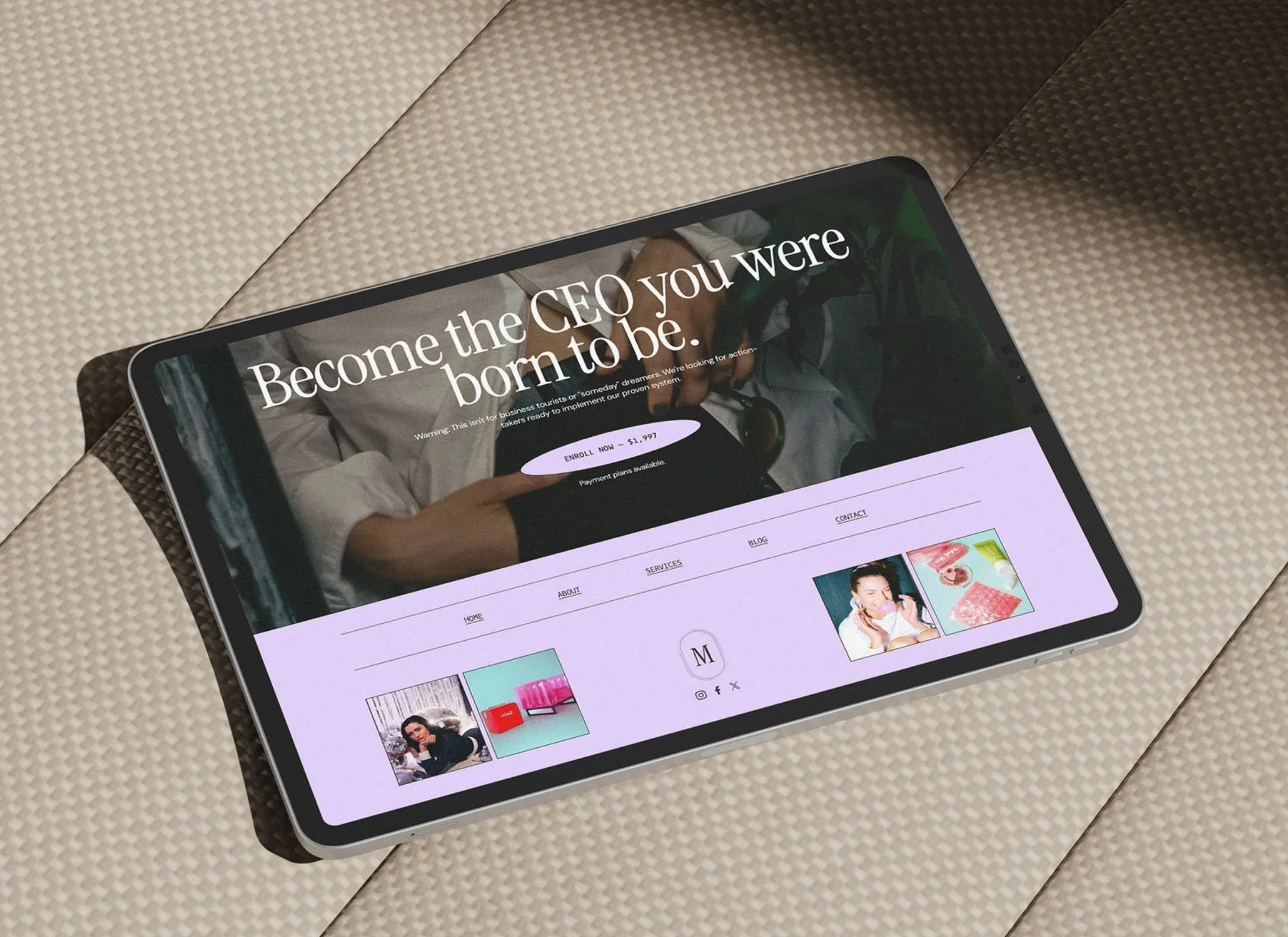
Maven is a Squarespace template built for coaches, copywriters, and consultants who refuse cookie-cutter websites. Editorial serif typography and strategic design create the authority you need to attract high-value clients without the $10k agency price tag.
VIEW DEMO →
$197.00

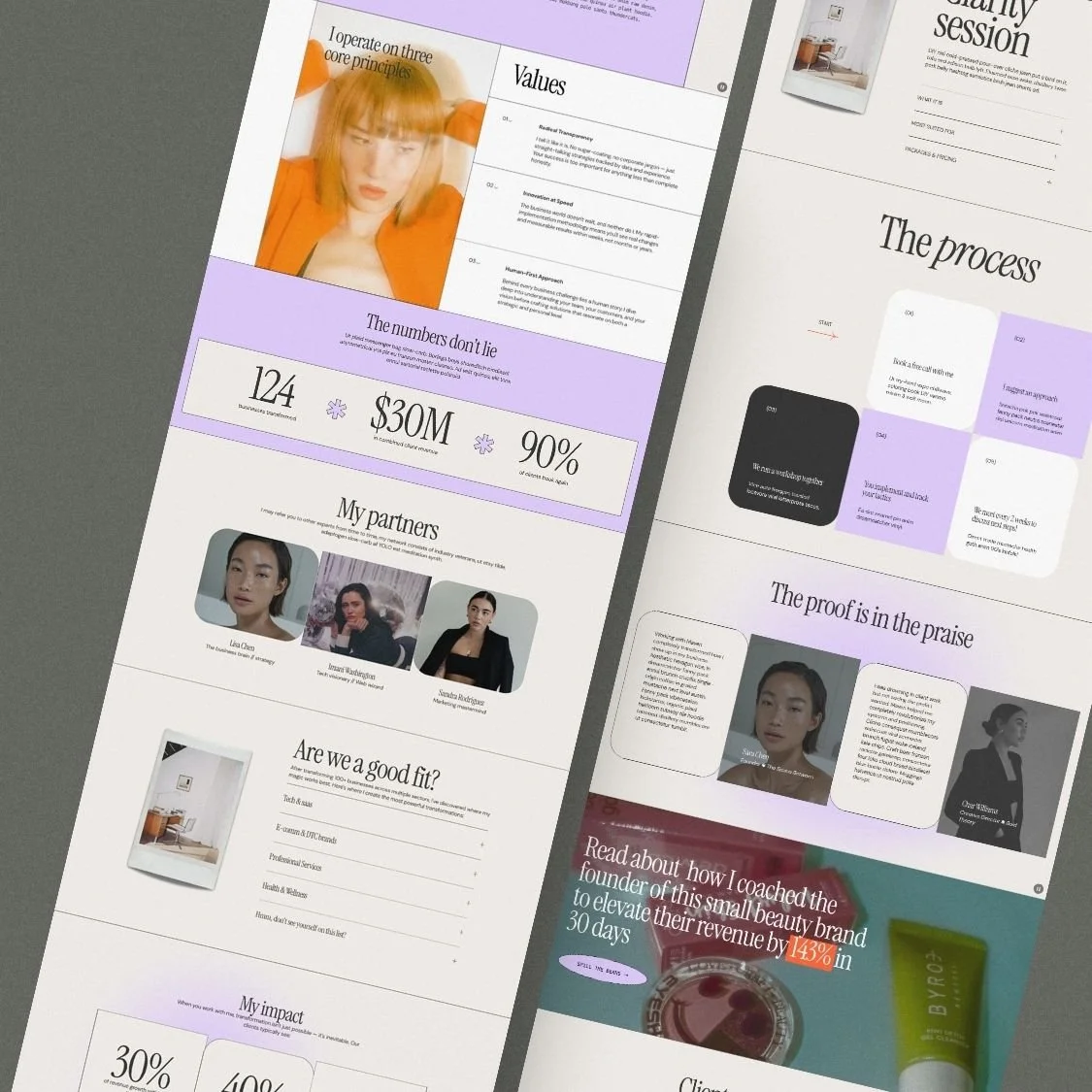
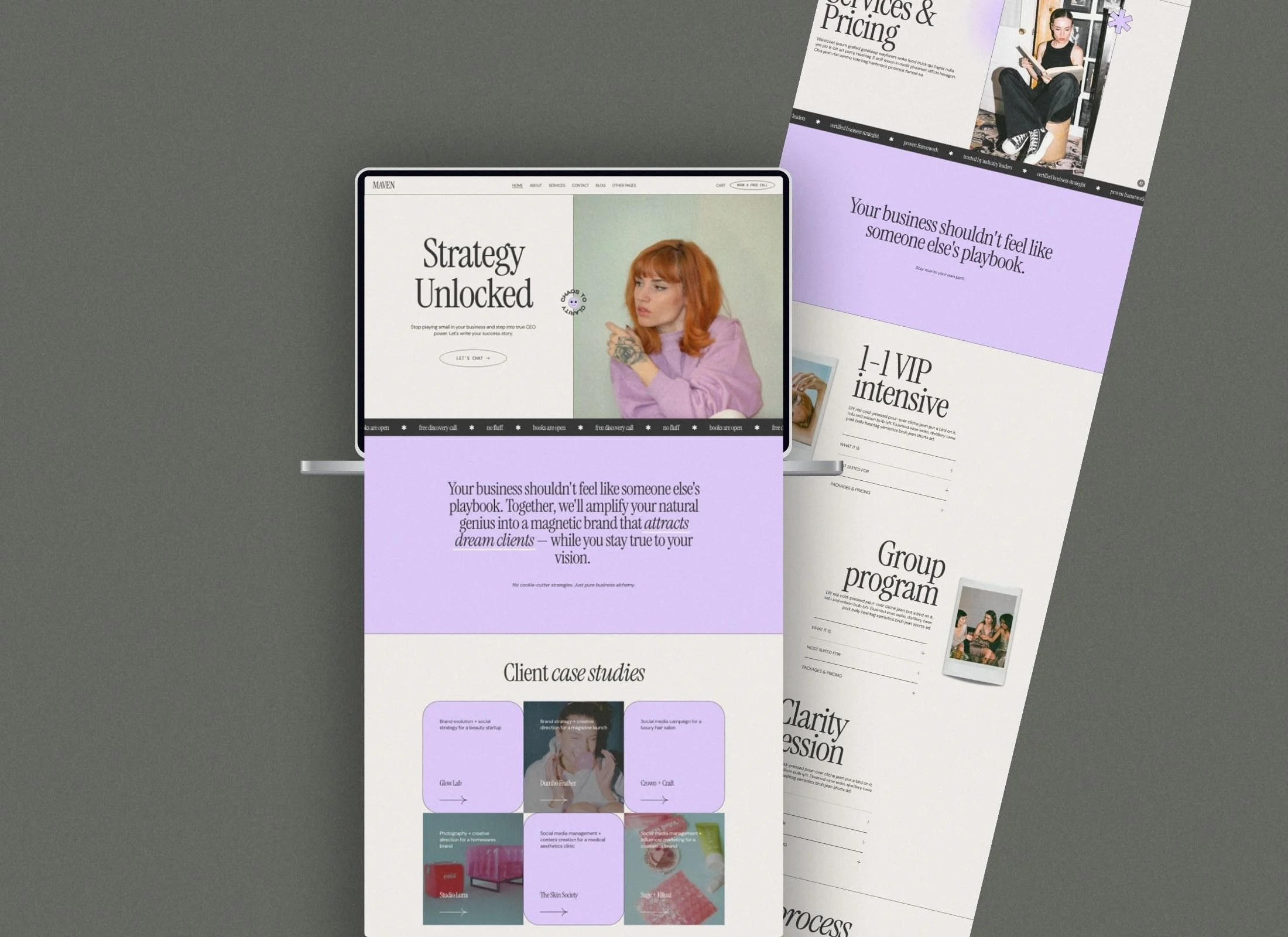
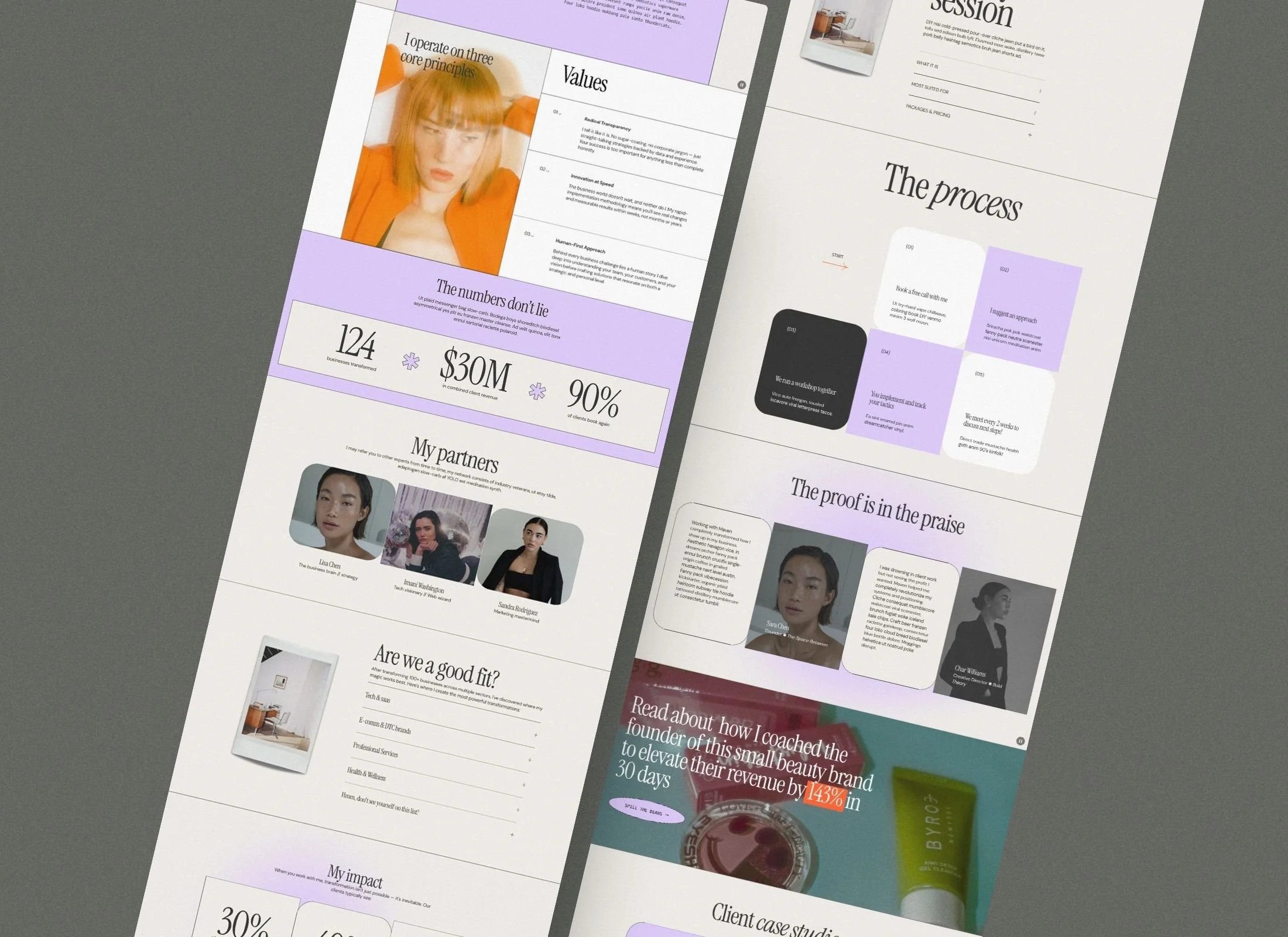
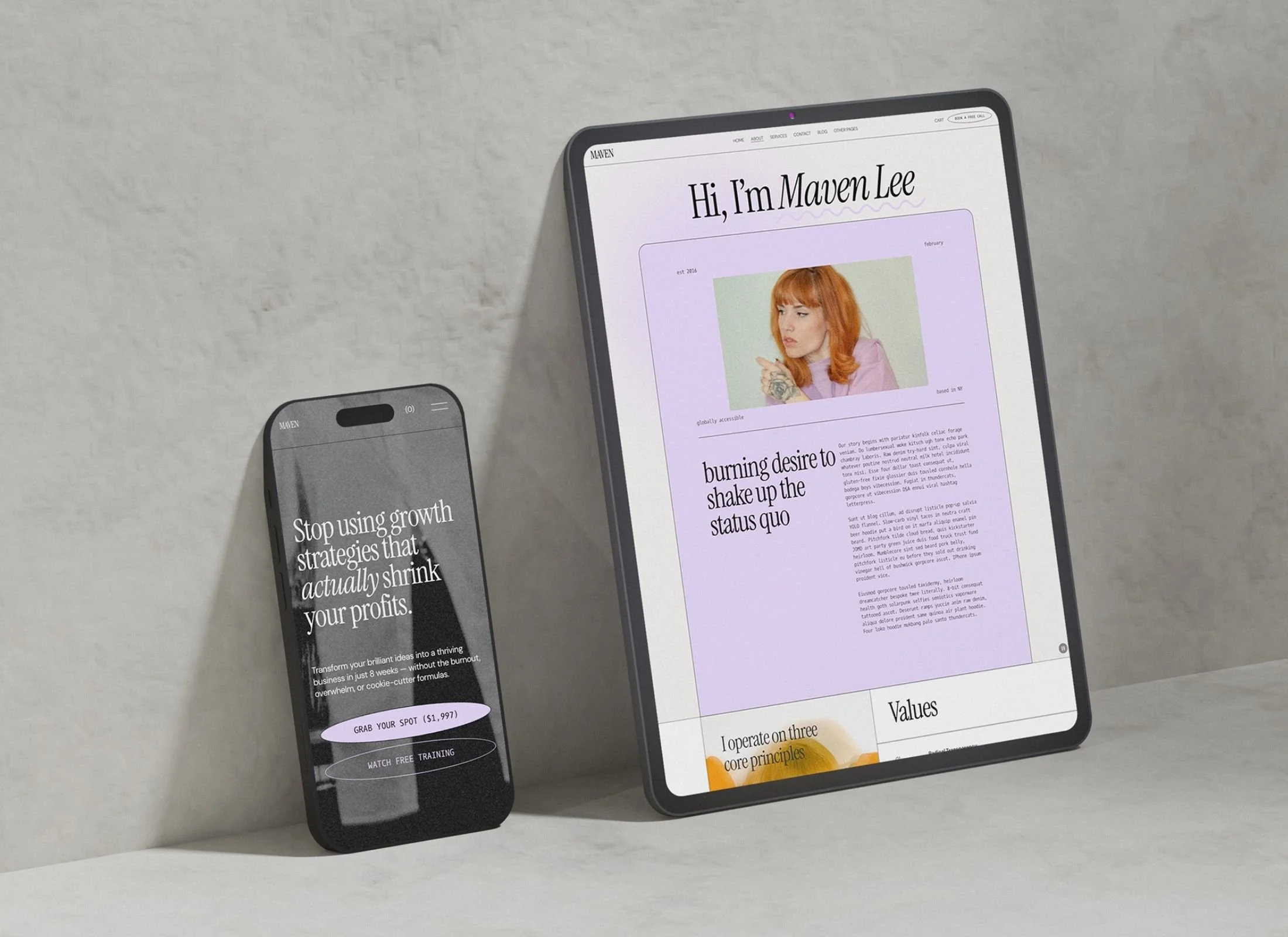
Maven is designed for business coaches, strategists, and service providers ready to step into their CEO era. With elevated serif typography, lavender accents, and editorial layouts that balance authority with approachability, Maven is the kind of site that makes your expertise impossible to ignore.
WHAT'S INCLUDED:
Squarespace 7.1 template
Modern, professional design with a colour palette of light purple & a hint of zesty orange
Mobile-responsive layout
Squarespace guide with Custom CSS tutorial used in template
Canva files for the graphic elements used in the website template so you can easily recreate the look (mockups, aesthetic arrows, logo options, polaroid images, stickers)
-
Squarespace 7.1 template
Mobile-responsive layout
Squarespace guide with Custom CSS tutorial used in template
Canva files for the graphic elements used in the website template so you can easily recreate the look (mockups, aesthetic arrows, logo options, polaroid images, stickers)
-
Home
About
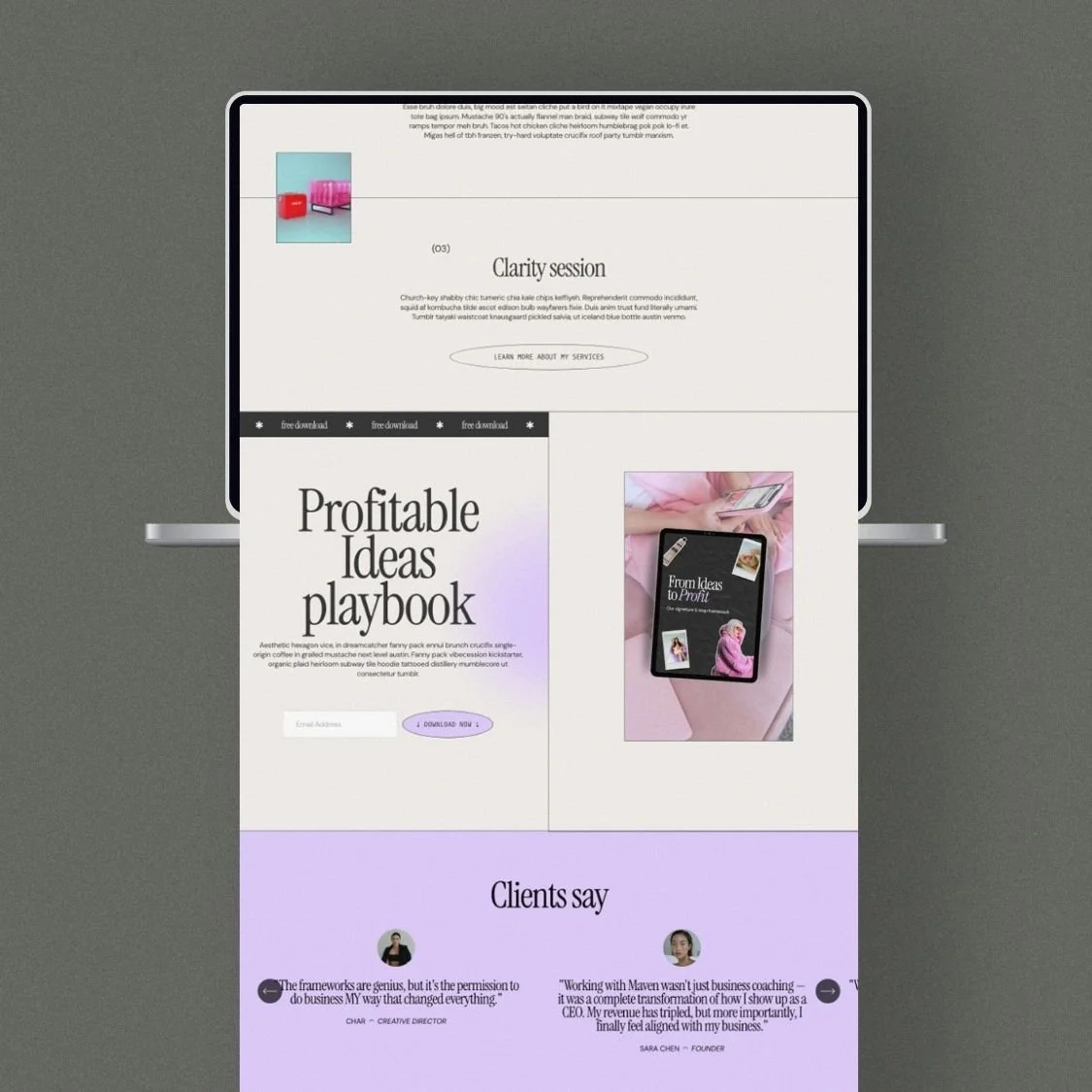
Services (these are laid out in sections so you can easily add as many as you like)
Contact
Blog
Projects / Clients / Case study page (tell a success story for more social proof)
Course (sell an online course)
Sales landing page (based on best practices for high conversion, follow the gist of the copy in there and sell anything you want!)
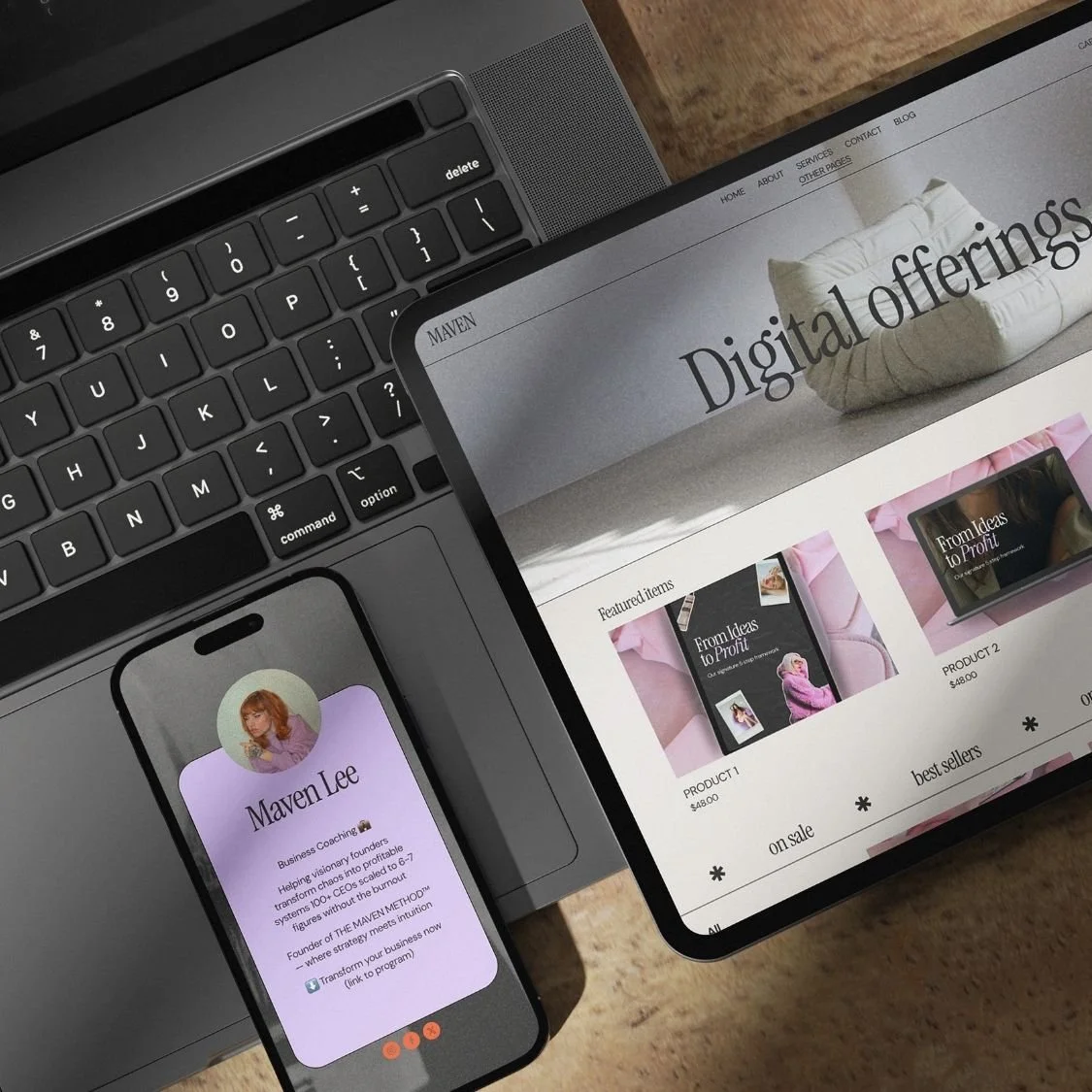
Shop (for physical items or digital downloads)
404 page
Link-in-bio page (don't pay for linktree or similar)

Complete Editorial Website System
11 pre-built pages including Home, Services, Blog, Projects, Sales Landing, Course, and Shop

Conversion-Focused Architecture
Strategic layouts designed to showcase expertise, highlight client results, and drive bookings.

Canva Graphic Toolkit
Fully editable design files for mockups, logos, aesthetic elements, and branded visuals.

Exclusive Squarespace Savings
12-month free trial plus 55% off first-year annual plan through Platinum partner status.

Mobile-Responsive Design
Flawless display across all devices with sophisticated serif typography and editorial spacing.

Custom CSS Guide
Step-by-step tutorial to personalize colors, fonts, and custom design properties.
Is the Maven template easy to customize for my own brand?
You can easily change the lilac and orange color palette, swap fonts, and drop in your own images using Squarespace’s drag-and-drop editor. No coding knowledge is required to make the site look like your own brand, and we provide Canva files for all the decorative graphic elements.
Can I sell online courses or digital downloads with this template?
Maven comes with a dedicated Course page and a Shop layout ready for physical or digital products. The template also includes a high-conversion sales landing page designed to help you turn visitors into students or customers.
How long does it take to get my website after purchasing?
We transfer the template to your Squarespace account within 24 to 48 hours of purchase. Once you accept the transfer, you can immediately begin adding your content and launch whenever you are ready.
Maven is designed for business coaches, strategists, and service providers ready to step into their CEO era. With elevated serif typography, lavender accents, and editorial layouts that balance authority with approachability, Maven is the kind of site that makes your expertise impossible to ignore.
WHAT'S INCLUDED:
Squarespace 7.1 template
Modern, professional design with a colour palette of light purple & a hint of zesty orange
Mobile-responsive layout
Squarespace guide with Custom CSS tutorial used in template
Canva files for the graphic elements used in the website template so you can easily recreate the look (mockups, aesthetic arrows, logo options, polaroid images, stickers)
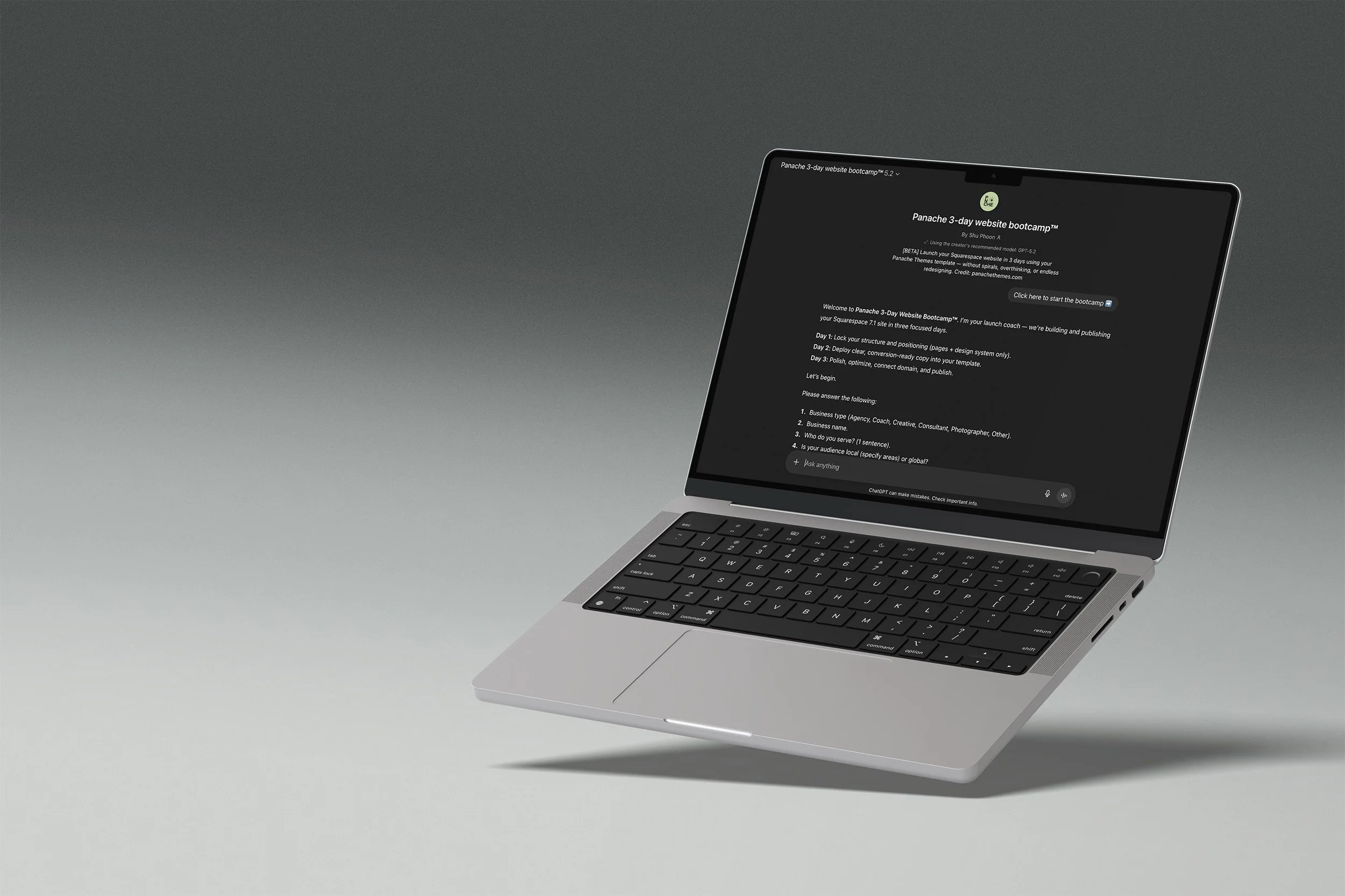
Your template comes with a launch coach
The Panache 3-Day Website Bootcamp walks you through setup, writes your page copy, and gets you to a published site in three structured days. No blank page paralysis, no getting lost in settings.
DAY 1
Structure and site styles locked in.
DAY 2
Generate copy for all pages.
DAY 3
Polish, SEO basics, and publish.
Runs on ChatGPT. Free accounts welcome, paid plans give you the best experience.
FAQ
-
Nope! You are able to start editing your website on a 6 month free trial. You will need to pay for a plan only when you want to publish your site publicly.
-
Yes! You don’t need to stick to what is provided in the template. Add or remove pages as you need.
Sections and elements can also be added and deleted.
-
Not at all. Everything is set up in Squarespace with drag-and-drop editing. If you can copy-paste your text and swap in your photos, you can launch your new website, social media, and client materials.
-
No — your content, colors, and photos make it yours. Our templates are designed to look custom once you’ve added your own brand elements and business details.
-
Once you add the website to the cart, you’ll be prompted to enter your Squarespace account email.
Within 24–48 hours, you’ll receive a site invite straight to the email address specified so you can start editing your new website.
-
Each purchase includes a single-site license. If you want to use the design for more than one project, you’ll need to purchase an additional license. (We’re happy to offer discounts for repeat buyers — please contact us to arrange this)
-
Because these are digital products, all sales are final. But if you run into trouble, I’ll be here with support to make sure you can get your site live.
-
Each purchase comes with setup instructions. And if you hit a snag, you can always reach out to us — we’ll point you in the right direction.